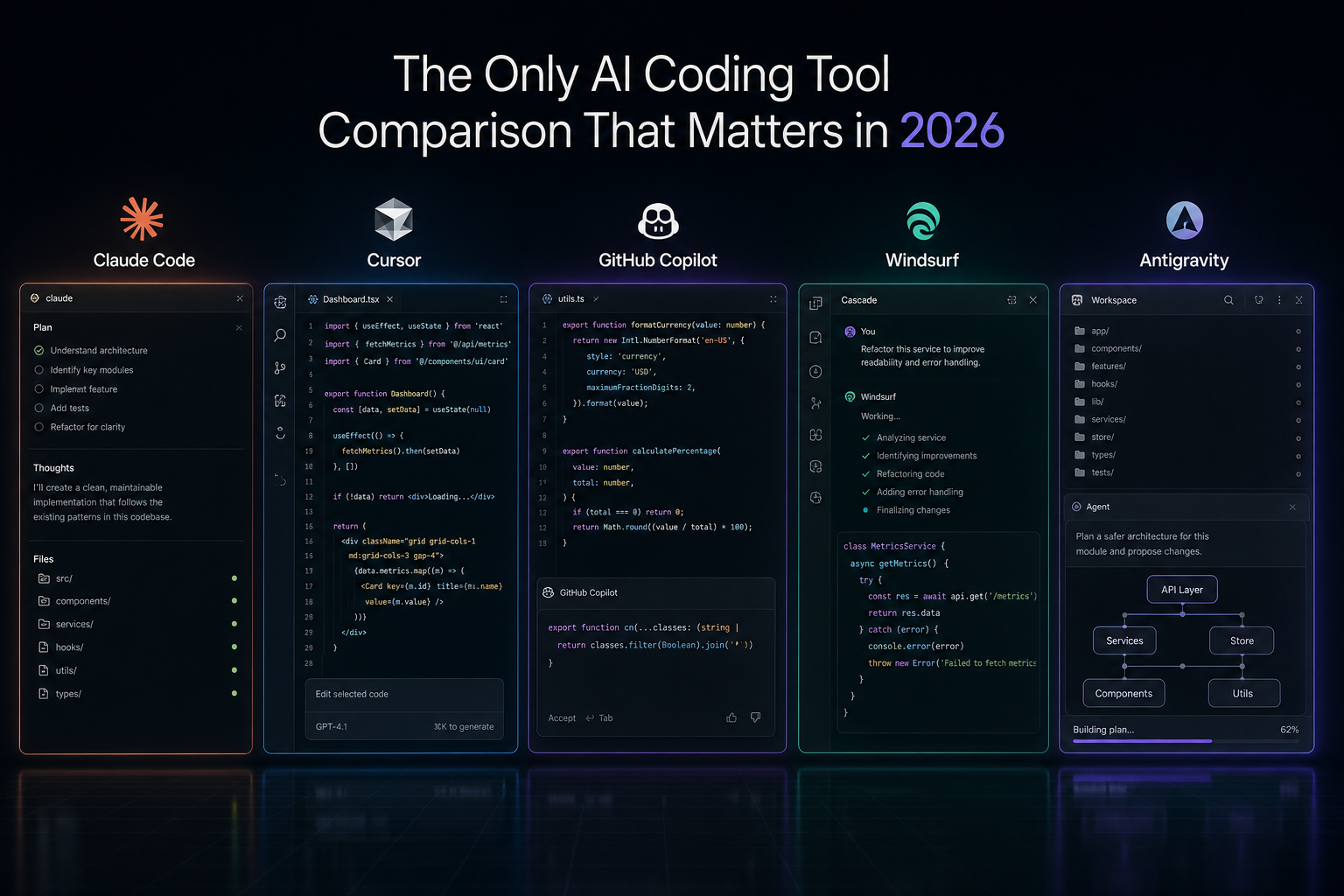
Most AI coding tool comparisons are still reviewing the showroom. Real teams need to know what happens once the repo is messy, the bug is live, and the architecture matters.
Most comparisons of AI coding tools still focus on the wrong surface area.
They compare autocomplete speed, interface polish, model dropdowns, or how quickly a demo app appears on screen. That is useful for the first ten minutes. It tells you almost nothing about whether the tool will still be useful on day ten of a real project.
The question that matters is not “Which tool looks smartest?” It is “Which tool helps a team ship better software under real constraints?”
That means architecture, context handling, consistency, and editability. It means what happens when the codebase is already large, the patterns are uneven, and the task is no longer greenfield.
This article is deliberately opinionated. It is not a synthetic benchmark suite. It is a workflow-first editorial comparison of where Claude Code, Cursor, Copilot, Windsurf, and Antigravity tend to help, and where they still break down.
My testing context: TypeScript and Python, B2B SaaS production codebase, Astro frontend, Node backend, 40,000+ lines. I have used each tool listed here across real features, refactors, and production incidents — not synthetic demos. Observations reflect patterns I have seen consistently across months of use, not single-session impressions. Different stacks, team sizes, and working styles will surface different friction points. Take the verdicts below as one practitioner's experience, not a universal ranking.
Introduction
1. The Problem with Most Comparisons
The average comparison rewards the wrong behavior.
- Fast first output
- Lots of visible features
- Slick demos on toy projects
Those are easy to measure. They are also the least durable signals.
In practice, teams do not fail because a tool generated the first file too slowly. They fail because the fifth edit breaks the second abstraction, the sixth prompt drifts from the repo’s patterns, and the seventh “small refactor” creates a system nobody fully understands anymore.
AI coding tools do not usually fail at code generation. They fail at sustained coherence.
Coherence failure has three observable signatures: naming drift — new files stop matching the codebase's conventions by prompt five or six; pattern substitution — the tool replaces your existing error-handling or state patterns with its own defaults without flagging the change; and abstraction leakage — logic that should stay in one layer bleeds into adjacent ones across edits. These are what "coherence" means in practice. The workflows below are structured around which tools surface these failures earliest — and which ones let them compound silently.
That is why feature-by-feature comparisons keep missing the point. Real engineering is not a prompt contest. It is an exercise in preserving clarity while the system changes.
2. The Only Framework That Matters: Workflows, Not Features
The right way to compare these tools is to ask how they behave inside recurring engineering workflows:
- Building a feature from scratch
- Refactoring existing code
- Debugging a production issue
- Understanding a large codebase quickly
Those workflows expose the real fault lines. A tool can be excellent at acceleration and still be weak at judgment. It can be great for local edits and poor at system-level reasoning. It can be brilliant in a clean sandbox and unreliable in a living codebase.
This is the same structural point behind building AI workflows that actually run and structuring repos for AI collaboration: tools matter, but the workflow fit matters more.
3. What Teams Still Get Wrong
Most teams are still buying AI coding tools the way they used to buy developer productivity software: on demo quality, interface polish, and how quickly the first result appears.
That is the wrong buying logic now.
The real cost of an AI coding tool does not show up in the first prompt. It shows up later in cleanup, drift, broken abstractions, shallow reasoning, and the amount of senior engineering attention required to keep the output usable.
The unit that matters is not "time to first code." It is "time to trusted outcome."
That is a different evaluation model entirely. It forces you to ask harder questions:
- Can the tool preserve coherence across multiple edits?
- Can it reason about architecture, not just syntax?
- Can the team safely build on top of what it produces?
- Does it reduce senior review load or simply move it later?
Once you evaluate from that angle, the market looks very different.
4. The Three Layers of AI Coding Work
What most comparisons miss is that these tools are not all solving the same job.
In practice, AI coding work is splitting into three layers:
Layer 1: Thinking. Architecture, debugging, system understanding, tradeoffs, sequencing, and deciding what should exist at all.
Layer 2: Building. Turning a clear direction into implementation quickly inside a real codebase.
Layer 3: Typing. Local completion, lightweight suggestions, and low-friction assistance while you stay in motion.
That distinction matters because teams keep asking one tool to dominate all three layers. Very few do.
The market is no longer separating into "best AI IDE" and "everything else." It is separating into reasoning tools, implementation tools, and ambient assistance.
Viewed that way, Claude Code is strongest at the thinking layer. Cursor is strongest at the building layer. Copilot remains useful at the typing layer. Windsurf and Antigravity are interesting because they are pushing toward more agentic environments, but for most teams they still feel more like emerging bets than default operating standards.
That is the lens I would use for the workflows below.
5. Workflow 1: Building a Feature from Scratch
Greenfield work is where most tools look strongest. It is also where weak comparisons can be most misleading.
The task
Build a dashboard feature with API integration, sensible component boundaries, and a UI that is usable without becoming over-engineered.
The baseline prompt
Build a dashboard feature.
Requirements:- Fetch data from an API- Display core metrics clearly- Use clean React components- Keep the structure simple
Constraints:- Small files- Clear naming- Minimal abstraction
Output:- Proposed file structure- Implementation- Brief explanation of tradeoffs
What happens
Claude Code usually produces the most usable starting point. The structure tends to be clearer, the components better separated, and the tradeoffs more explicit. It is not always the fastest to first output, but it is often the fastest to something a senior engineer would keep.
Cursor tends to feel faster in the moment. It is excellent at helping you move, especially if you already know roughly what you want. The tradeoff is that the architecture can drift if you let speed outrun judgment.
Copilot is helpful for fragments, but usually weak at owning the shape of the feature. You get momentum, not much system design.
Windsurf can be attractive when you want more multi-step behavior, but the reliability gap is still noticeable. When it gets the shape right, it feels powerful. When it misses, the cleanup tax arrives quickly.
Antigravity is conceptually interesting here because feature building is where new environments can feel most fluid. But unless you are explicitly experimenting, that is not the same as saying it is the most dependable choice.
Strongest in my workflow: Claude Code. Greenfield work rewards structure, and structure is where Claude Code has consistently felt strongest in my context.
6. Workflow 2: Refactoring Existing Code
This is where weak tools get exposed very quickly.
Refactoring is not just rewriting. It requires inferring intent from imperfect code, preserving behavior, and improving clarity without introducing fresh ambiguity. That is a much harder job than generating a new component.
The task
Take a messy, overgrown feature and make it smaller, clearer, and easier to maintain without changing what users experience.
The prompt
Refactor this code for clarity.
Constraints:- Smaller files- Clear naming- Remove unnecessary abstraction- Preserve behavior
Output:- Refactored code- Explanation of what changed- Risks or assumptions
Claude Code is again the strongest at reading through mess and finding the underlying shape. It tends to make fewer cosmetic changes and more meaningful structural ones. That matters.
Cursor is very effective for inline cleanup and quicker edits, but less consistently strong when the refactor needs a clear architectural point of view.
Copilot struggles here because refactoring requires continuity of thought. Snippet intelligence is not enough.
Windsurf is more comfortable attempting larger moves, but that boldness is a double-edged sword. On fragile code, aggressive confidence can be expensive.
Antigravity still feels too early to trust for refactors where predictability matters more than novelty.
Strongest in my workflow: Claude Code. Refactoring rewards reasoning over enthusiasm, and that is where the gap has been most consistent.
7. Workflow 3: Debugging a Production Issue
Debugging is where “looks smart” and “is useful” diverge the most.
A production issue is not a coding exercise. It is a diagnosis problem under pressure. The tool needs to separate signal from noise, build a plausible chain of causality, and avoid hallucinating confidence.
The task
Investigate an error in a complex system, identify the likely root cause, and propose the safest fix.
The prompt
Analyse this issue.
Context:- Error: [insert error]- Relevant code: [insert code]- Recent change: [optional]
Task:Identify the likely root cause and propose a fix.
Output:- Diagnosis- Why that diagnosis fits the symptoms- Fix- What to verify after the fix
Claude Code is the most convincing here because it tends to preserve the reasoning chain. It is better at asking what must be true for the symptom to appear, which is the core of debugging.
Cursor is useful when you already have a strong hunch and want to iterate quickly around it. It is less reliable when the core problem is conceptual rather than local.
Copilot is the weakest of the group for serious debugging. It can help around the edges, but it is not the tool I would want leading the investigation.
Windsurf still feels inconsistent under pressure. The failure mode is not slowness. It is false confidence.
Antigravity again belongs more in the “watch this space” bucket than the “trust this in prod” bucket.
Strongest in my workflow: Claude Code. Debugging is reasoning with consequences. That is where the reasoning quality difference has mattered most in practice.
8. Workflow 4: Large-Scale Codebase Understanding
Large codebase understanding is not glamorous, but it may be the highest-leverage workflow of the group.
If a tool can help an engineer understand architecture, data flow, risks, and module boundaries faster, everything downstream improves: onboarding, refactoring, debugging, planning, and code review.
The task
Analyze a substantial codebase and produce a high-signal summary of architecture, key modules, dependencies, and likely points of fragility.
The prompt
Analyse this codebase.
Focus on:- Architecture- Key modules- Data flow- Technical risks
Output:- Concise system summary- Areas of coupling or fragility- Suggestions for safer evolution
Claude Code is strongest because it usually keeps the discussion at the right altitude. It can summarize without flattening everything into generic advice.
Cursor is very good at navigation and practical inspection, which makes it useful in this workflow, but the strategic summary is not always as sharp.
Copilot remains limited once the task becomes architectural instead of local.
Windsurf is directionally interesting, but still not mature enough for me to call it a dependable architecture partner.
Antigravity may eventually do well in this category because environment design matters a lot for codebase comprehension. Today, “promising” is still the right word.
Strongest in my workflow: Claude Code. Codebase understanding is where reasoning quality compounds — and where the difference between "summarize this" and "help me think about this architecture" becomes most visible.
9. What This Means for Teams
The pattern across all four workflows is straightforward.
The more the work depends on judgment, continuity, architecture, and safe iteration, the more the advantage shifts toward Claude Code.
The more the work depends on fast local movement inside the editor, the more Cursor becomes attractive.
Copilot still makes sense when the team wants lightweight assistance with minimal workflow change. That is not nothing. It is just a narrower role.
Windsurf and Antigravity are the tools I would describe as strategically interesting but operationally uneven. They matter because they point toward where the interface may be going. They matter less if your immediate question is what to trust in a production workflow this quarter.
The deeper mistake is treating these tools like interchangeable productivity multipliers. They are not interchangeable. They shape architecture quality, review load, onboarding speed, and how much hidden mess accumulates in the system.
That means this is no longer just a tooling decision. It is an operating model decision.
10. The Real Decision Framework
If you are trying to pick one universal winner, you are probably framing the decision too narrowly.
The better question is: what stack gives your team the best combination of judgment, speed, and low-friction assistance?
For many teams, the practical answer looks something like this:
| Layer | Best-fit tool | Why |
|---|---|---|
| Thinking | Claude Code | Best when the work needs reasoning and structure |
| Building | Cursor | Best when the work needs speed inside the IDE |
| Typing | Copilot | Best when the work is mostly local assistance |
That stack is not universal, but the principle is. Different tools solve different layers of engineering work. Mature teams stop asking for a mascot and start designing a workflow.
This is also why structure matters so much. If your repo is not legible, even the best model will underperform. I went deeper on that in How to Hyper-Optimize Claude Code: context quality is not a nice-to-have. It is the operating environment.
11. Final Verdict
| Workflow | Claude Code | Cursor | Copilot | Windsurf | Antigravity |
|---|---|---|---|---|---|
| Feature from scratch | Strong | Strong | Adequate | Inconsistent | Unproven |
| Refactoring | Strong | Adequate | Weak | Inconsistent | Unproven |
| Debugging production | Strong | Adequate | Weak | Inconsistent | Unproven |
| Codebase understanding | Strong | Adequate | Weak | Emerging | Emerging |
Ratings reflect consistent patterns observed across months of production use on a 40,000+ line TypeScript/Python B2B SaaS codebase. "Strong" means the tool handled the workflow well enough to trust the output with light review. "Adequate" means useful with active direction. "Inconsistent" means the failure mode was unpredictable rather than reliably bounded. "Unproven" means too few sessions to form a pattern. Your stack, team size, and review capacity will shift some of these.
Based on several months of production use across the workflows above, here is what I have observed consistently enough to stand behind.
Claude Code has been my strongest tool when the work demands engineering judgment — architecture, refactoring, debugging, codebase comprehension. The reasoning quality gap is most visible when the task requires holding multiple constraints simultaneously.
Cursor has been the strongest companion when the work demands speed and flow inside the editor. If you already know what you want to build, it gets out of your way faster than anything else I have used.
Copilot remains useful as a lightweight ambient layer, but it has progressively become the narrowest role in the stack. I would not anchor a team's AI workflow around it.
Windsurf and Antigravity are genuinely worth tracking, but I would still evaluate them as emerging bets rather than default operating standards. The ceiling looks high. The floor is still inconsistent.
These are patterns, not benchmarks. The tool that works best in your codebase depends on your stack, your team's workflows, and how much senior review capacity you have to absorb AI-generated drift. The framework above is designed to help you run your own version of this evaluation — not to replace it.
The deeper point holds regardless: AI coding tools should not be judged by how exciting they feel in the first prompt. They should be judged by what kind of software they help you produce after the tenth iteration.
That is the difference between a demo and an engineering system.